Walls & Ceilings logo
search
cart
facebook twitter linkedin youtube youtube Spotify Podcasts Apple Podcasts Spotify Podcasts Apple Podcasts
  • Sign In
  • Create Account
  • Sign Out
  • My Account
Walls & Ceilings logo
  • NEWS
  • TOPICS
    • Drywall
    • Stucco/EIFS
    • Ceilings
    • Steel Framing
    • Fireproofing
    • Interior Plaster
    • Building Envelope
    • Insulation
    • Technology
    • Interior
    • Exterior
    • Women In Construction
  • COLUMNS
    • Up Front
    • All Things Gypsum
    • Art & Craft of Plastering
    • Stucco Stop
    • Steel Deal
    • Industry Voices
  • PRODUCTS
    • Buzz Guide
  • EVENTS
    • Industry Events
    • Webinars
    • BUILD Expo
  • MEDIA
    • Videos
    • Podcasts
    • Photo Galleries
    • BUILD26 Videos
    • Take our Quiz!
    • Infographics
  • EXCLUSIVE
    • Newsletters
    • Top 50 Contractors
    • Contractor of the Year
    • State of the Industry
    • W&C Store
    • Market Research
    • CEUs
    • Sponsor Insights
    • Custom Content & Marketing Services
  • DIRECTORY
  • EMAGAZINE
    • eMagazine
    • Advertise
    • Archive Issues
  • SIGN UP!
DrywallInteriorTechnology

Questions When Adding New Software

A Step-by-step Guide On How To Modernize Your Estimating Department With New Software.

By Greg Duyka
Centered on Solutions
February 21, 2020

Finding new software for your construction business can be overwhelming. If you’re in the market for the right estimating software, you are looking for the fastest, more accurate tools to help you calculate labor and materials.

No matter your construction trade, there are lots of options. Just as you would ask a lot of questions before purchasing your next company truck or backhoe, the same principle applies to adding new takeoff and estimating software.

For starters, you always want to double-check technical features and requirements when evaluating and selecting new tools. When you do your research and homework, you can ensure that you will not run into speed bumps and issues when you deploy the new software.


5 Technical Questions to Ask

Here are five critical questions to consider when listing your requirements for takeoff and estimating software:

  • What are the system requirements and dependencies? This means whether software is web-, server-, or desktop-based or cloud. You should also look at the number of users allowed and whether you can export/input and share data and whether the software has accounting integration.
     
  • What are the software functions and capabilities? Consider whether it offers overlay for recognizing changes and addendums or if you can share and send plans. You may need the ability to pre-populate bid sheets and annotate.
     
  • What kind of technical support does the system offer? You should weigh whether you want U.S.-based or offshore support and 24-hour, business-day support. Also, if online or phone line is acceptable.
     
  • Does the software company provide subject matter experts? Knowing the provider has construction expertise may mean the company is more attuned to your business needs.
     
  • How are product updates and maintenance handled? Some companies will automatically update your software or require you to opt-in. You must determine whether you prefer scheduled maintenance or a less disruptive method for updates.

Once the decision to purchase new software is made, it’s important to have a plan in place to ensure that your implementation of new digital tools goes smoothly.


Next Steps for Adding Software

Most importantly, you never want to purchase new digital takeoff and estimating tools that end up being under-utilized because of a failure of training or how the tools were deployed. 

For takeoff software, most implementations are quick and easy—just install, train, and go. 

However, for estimating software, you’ll need to carve out a bit more time as it will typically require some customization based on database integration.

Here are five best practices to keep in mind when implementing new software:

  • Go back and communicate your plans to all the stakeholders who will be impacted. This could include estimators, project managers, owners, GMs, field supervisors, accounting, and IT.
     
  • Make sure to create a checklist with a timeline. This would include a go-live date and any additional steps for install, customization, data migration and/or integration, and training.
     
  • Test the new software to verify it is working. Make sure everything is working properly by specifying the first project to be completed using the new software.
     
  • Allow enough time for training based on the recommendation of your software provider. Be sure to set hours aside for staff and remember that training will take time. You should have realistic expectations.
     
  • Connect and integrate with your accounting department. This allows you to communicate to further simplify your process. You can also build and customize cost databases for accuracy.
     

Taking the Next Step

Now that you’ve modernized your estimating department with new software, don’t forget to conduct post-installation reviews at regular intervals. This is a great way to justify your investment and ROI to management. Even better, you can gather feedback on a quarterly and yearly basis to ensure the tool is meeting the needs of your construction business. 

Not sure if you need digital tools? Find out by taking a quick quiz. Download On Center’s eBook, Estimators Guide to Assessing and Picking the Right Software, to gauge if your construction business is ready for estimating software. 

KEYWORDS: business management

Share This Story

Looking for a reprint of this article?
From high-res PDFs to custom plaques, order your copy today!

Wc1018 clmn centered solutions p2 author duyka

Greg Duyka is a senior product specialist/trainer with On Center Software. He has 20-plus years of estimating and project management experience in commercial and residential construction. His experience also includes more than five years of experience as a safety director and an Occupational Safety and Health Administration standards instructor. Duyka, a 20-year veteran of On Center, travels to all regions of the world, providing training and demonstrations for all of the company’s products.

Recommended Content

JOIN TODAY
To unlock your recommendations.

Already have an account? Sign In

  • Abercrombie & Fitch

    EIFS in 2026: How Specialty Finishes Are Redefining Exterior Wall Systems

    As building codes, owner expectations, and design demands...
    Stucco/EIFS
    By: Regi Mendoza
  • proper air and vapor control

    From Energy Efficiency to Moisture Management: Why Air and Vapor Control Matter

    How proper air and vapor control within building...
    Building Envelope
    By: Benjamin Meyer AIA, LEED AP
  • Linear Metal Ceiling Beam Baffles

    Top 25 Ceiling Contractors of 2026

    Suspended ceilings demand precision, code compliance and...
    Ceilings
    By: John Wyatt and Tanja Kern
You must login or register in order to post a comment.

Report Abusive Comment

Manage My Account
  • eMagazine Subscription
  • Newsletters
  • Online Registration
  • Manage My Preferences
  • Subscription Customer Service

More Videos

Sponsored Content

Sponsored Content is a special paid section where industry companies provide high quality, objective, non-commercial content around topics of interest to the Walls & Ceilings audience. All Sponsored Content is supplied by the advertising company and any opinions expressed in this article are those of the author and not necessarily reflect the views of Walls & Ceilings or its parent company, BNP Media. Interested in participating in our Sponsored Content section? Contact your local rep!

close
  • medical professionals moving a patient on a stretcher through the halls of a medical building
    Sponsored byNational Gypsum Company

    What Does High Performance Mean When It Comes To Gypsum Boards?

Popular Stories

Linear Metal Ceiling Beam Baffles

Top 25 Ceiling Contractors of 2026

Wichita Biomedical Campus

Wichita Drywall Worker Dies After Scaffolding Fall

QXO Just Changed the Game-Here's What Contractors Are Asking

QXO Just Changed the Game-Here's What Contractors Are Asking

Less compound

Joint Compound Market to Reach $9.7B by 2033

Events

June 24, 2026

The Bright Side & Benefits of Designing with Integrated Lighting

Credits 1 AIA LU/HSW; 0.1 ICC CEU

This course will explore the pivotal role architects and lighting design play in creating safer, more sustainable spaces. Learn how to avoid common lighting mistakes and make informed decisions that create the best visual environment for occupants. 

January 1, 2030

Webinar Sponsorship Information

For webinar sponsorship information, visit www.bnpevents.com/webinars or email webinars@bnpmedia.com.

See our full library of webinars

View All Submit An Event

Products

2026 National Painting Cost Estimator

2026 National Painting Cost Estimator

See More Products

Related Articles

  • Dietrich Offers New Software Package

    See More
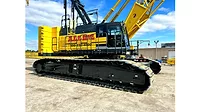
  • ALL Adds Kobelco G-3 Series Hydraulic Crawlers

    ALL Crane Adding New Kobelco G-3 Series Hydraulic Crawlers

    See More
  • Contractors Must Keep Adding Tech Tools

    Contractors Must Keep Adding Tech Tools

    See More

Related Products

See More Products
  • Drywall: Professional Techniques for Great Results, 4th Edition

See More Products
×

Connect with the industry’s leading resource for unparalleled insights and education.

Join thousands of industry professionals today. Shouldn’t you know what they know?

JOIN NOW
  • RESOURCES
    • Advertise
    • Contact Us
    • Directories
    • Store
    • Want More
  • SIGN UP TODAY
    • Create Account
    • eMagazine
    • Newsletters
    • Customer Service
    • Manage Preferences
  • SERVICES
    • Marketing Services
    • Reprints
    • Market Research
    • List Rental
    • Survey/Respondent Access
  • STAY CONNECTED
    • LinkedIn
    • Facebook
    • Instagram
    • YouTube
    • X
  • PRIVACY
    • PRIVACY POLICY
    • TERMS & CONDITIONS
    • DO NOT SELL MY PERSONAL INFORMATION
    • PRIVACY REQUEST
    • ACCESSIBILITY

Copyright ©2026. All Rights Reserved BNP Media, Inc. and BNP Media II, LLC.

Design, CMS, Hosting & Web Development :: ePublishing