Improve Your Outlook
Outlook is a Microsoft program designed to help you manage time and information. If you struggle with staying focused, you may be well served to direct Outlook to boss you around.

As you flip through the pages of this magazine, you may note that I am the least technical person in all of Walls & Ceilings. Arguably, I am the most appreciative of those with technical skills. I don’t reckon you visit my column for technical tips. That, my friend, changes today.
Today, I am excited to share time-saving, face-saving technical tips for your electronic tools. Saddle up that computer, partner. Here we go!
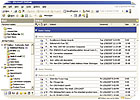
More than likely, Outlook is already loaded on your computer. Outlook is not the same as Outlook Express. Outlook Express is primarily an e-mail management program. For the Outlook program, look for a “clock” icon. If you don’t have Outlook, you can preview and/or download it from www.microsoft.com.
Outlook is designed to help you manage your time and actions. If your accounting system isn’t very sophisticated, you might use Outlook for dispatching and managing customer information. However, for your company, I suggest you implement an industry-specific accounting/information system that offers customer history and dispatching features. Keep Outlook for managing YOU.
Direct Outlook to receive your e-mail messages. I have no problem calling my local “computer dude” to make sure I set the program up properly. However, your Internet service provider Help Desk may talk you through the process (if you can bear being on hold for half an hour.) Or, if you are brave, you can click on Help and ask about “adding an e-mail account.” This way, you can have your e-mail, Calendar and Task List all in one place on your computer.
You can organize your e-mails according to type, or importance. Click on Tools, and then click Organize. I like using folders. Create Folders for “Family” or “Golf” or “Trade Group” or a project that you are working on…like “Harley Riders’ Picnic.” When you receive an e-mail, you can click and drag it into the appropriate folder. You can set up Rules to automatically send an e-mail from a specified e-mail address directly to a specified folder. I prefer to look at each e-mail before I file it.
You can drag and drop an e-mail into the Contact folder. When you do this, a new Contact file opens…and you can enter the rest of that person’s vital information. I would recommend using Outlook instead of a desktop Rolodex. If you get in the habit of entering the information from business cards right into Contacts, you can get rid of the business card. Also, you can type in notes about meetings and phone calls in your individual Contact files. The Contact template can be customized. Type in “Customize Contact Fields” in the Help question box. Suppose you are looking for companies to acquire. You could create a Contact template that reminds you to gather the information you want on each candidate, such as a number of employees field, number of trucks field, description of Yellow Page ads field, etc.
My favorite Outlook feature is the Calendar. Try setting the Calendar to display all seven days from left to right. Go to Tools, Options, Calendar Options and, under Work Week, click on all seven days. This is the best format for scheduling your time. Then, commit to a personal planning session on Sunday evening or Monday morning. Review your business plan. Remind yourself of your mission, vision and goals. Then, put together your Calendar. Block out time for family commitments. Look ahead for upcoming travel and meetings. Then, block out time to work on goals and priority projects. If you don’t make time for the Non-Urgent yet important stuff, it just won’t get done. You can always click and drag and reschedule.
When you schedule an Appointment in Outlook, check out the Label feature. You can color code your Appointments. Right brain folks like me love color-coded Calendars. I use Green for personal/family appointments. My latest Web site project is coded in purple. If I intend to finish the project, there better be enough purple on the Calendar.
Another crucial tip is to keep just one calendar. Otherwise, you may miss your kid’s game because you wrote it on the “Far Side” Calendar on the kitchen wall, but you didn’t record it on your Outlook Calendar.
Invest in a Palm Pilot or a Blackberry or a Treo. These tools can be “synced” with your computer’s Outlook files so that you can take your Calendar, your e-mails and your Contacts information with you. Very cool! You may be dexterous enough to enter information into the device while you are out and about. I am not! I use a pencil and my ever-handy single subject spiral notebook to take down any notes, phone numbers, etc. when I am away from my desk. When I get back to my desk, I enter the information into Outlook directly. I only sync my Treo in a single direction: from my computer to my Treo.
I have found the Outlook Help button very helpful! Use it. And if you are a glutton for features, check out www.microsoft.com and search for Outlook. Bill Gates and team loaded Outlook with all kinds of bells and whistles. Have fun!
• Copy and paste pertinent information from e-mails into the appropriate Contact file or Appointment notes. For instance, if your mom e-mails you her travel itinerary, copy and paste it into her Contact file. Or, right in the Appointment notes for “Pick up mom at the airport.”
• Always use a greeting such as “Dear John” or “Hi Alice.” We are busy, but not so busy that we may neglect the greeting. There is always time for good manners.
• Line spacing makes e-mail easier to read. Insert two line spaces after the greeting, between paragraphs, between the last sentence and the closing (All the best, Sincerely) and between the closing and your signature.
• Sure, you can be less formal with personal e-mails to friends. However, use standard letter writing rules when you communicate professionally.
• And…don’t SHOUT. Typing in all capital letters is hard to read and is considered shouting in the electronic world. We should be using our inside voices for e-mail.
• Please skip the politically charged messages. We may not share the same opinion and a heated e-mail exchange is painful for all involved. It’s called “flaming.” Life is too short for “flaming.”
• And, don’t try to be funny in e-mails. As my friend and fellow columnist Jim Olsztynski says, “You have to be a very good writer to write a funny e-mail.” Sarcasm almost never comes across as intended. Don’t go there. You will end up insulting someone.
• Raise your hand if you know someone who has been fired for sending an inappropriate e-mail. Yep. While easily deleted, remember that e-mail is forever. And it can be sent and resent forever. Think before you click the send button.
• Viruses happen. You may – probably will – send a virus to someone you love. You may feel ashamed … and a perhaps a bit “dirty.” Get over it! Viruses are just part of the game anymore. You can have virus protection, spyware sweepers and firewalls, and a virus will still make it through. Thank goodness for computer geeks. Turn to one should your computer start to act weird or unfriendly. (Keep in mind that the same guy who delivers your computer from a vile virus may be the same guy who unleashed a similar virus when he got laid off from Microsoft. Many viruses are created and released by folks who believe they are saving us from Microsoft’s global takeover. Picture “SkyNet” from the “Terminator” movies.)
• Check your messages no more than twice and no less than once every work day. Treat your e-mail messages like phone messages. Politely return them. No one believes you when you say you don’t “do” e-mail.
• And, finally, remember that you can take a day off now and then. You do not need to connect to your computer or your e-mail every day. Dan Sullivan, an executive coach, suggests that we would become more productive if we took more days off. A day off is a day to recharge and rejuvenate, and for 24 hours that means no plugging in or logging on.
How about scheduling a day off? Open up your Outlook Calendar ...
As you flip through the pages of this magazine, you may note that I am the least technical person in all of Walls & Ceilings. Arguably, I am the most appreciative of those with technical skills. I don’t reckon you visit my column for technical tips. That, my friend, changes today.
Today, I am excited to share time-saving, face-saving technical tips for your electronic tools. Saddle up that computer, partner. Here we go!
CHANGE YOUR OUTLOOK
Outlook is a Microsoft program designed to help you manage time and information. I am a big Outlook fan. I set up Outlook so that it holds me accountable all day long. If you struggle with staying focused, you may be well served to direct Outlook to boss you around.More than likely, Outlook is already loaded on your computer. Outlook is not the same as Outlook Express. Outlook Express is primarily an e-mail management program. For the Outlook program, look for a “clock” icon. If you don’t have Outlook, you can preview and/or download it from www.microsoft.com.
Outlook is designed to help you manage your time and actions. If your accounting system isn’t very sophisticated, you might use Outlook for dispatching and managing customer information. However, for your company, I suggest you implement an industry-specific accounting/information system that offers customer history and dispatching features. Keep Outlook for managing YOU.
Direct Outlook to receive your e-mail messages. I have no problem calling my local “computer dude” to make sure I set the program up properly. However, your Internet service provider Help Desk may talk you through the process (if you can bear being on hold for half an hour.) Or, if you are brave, you can click on Help and ask about “adding an e-mail account.” This way, you can have your e-mail, Calendar and Task List all in one place on your computer.
You can organize your e-mails according to type, or importance. Click on Tools, and then click Organize. I like using folders. Create Folders for “Family” or “Golf” or “Trade Group” or a project that you are working on…like “Harley Riders’ Picnic.” When you receive an e-mail, you can click and drag it into the appropriate folder. You can set up Rules to automatically send an e-mail from a specified e-mail address directly to a specified folder. I prefer to look at each e-mail before I file it.
You can drag and drop an e-mail into the Contact folder. When you do this, a new Contact file opens…and you can enter the rest of that person’s vital information. I would recommend using Outlook instead of a desktop Rolodex. If you get in the habit of entering the information from business cards right into Contacts, you can get rid of the business card. Also, you can type in notes about meetings and phone calls in your individual Contact files. The Contact template can be customized. Type in “Customize Contact Fields” in the Help question box. Suppose you are looking for companies to acquire. You could create a Contact template that reminds you to gather the information you want on each candidate, such as a number of employees field, number of trucks field, description of Yellow Page ads field, etc.
My favorite Outlook feature is the Calendar. Try setting the Calendar to display all seven days from left to right. Go to Tools, Options, Calendar Options and, under Work Week, click on all seven days. This is the best format for scheduling your time. Then, commit to a personal planning session on Sunday evening or Monday morning. Review your business plan. Remind yourself of your mission, vision and goals. Then, put together your Calendar. Block out time for family commitments. Look ahead for upcoming travel and meetings. Then, block out time to work on goals and priority projects. If you don’t make time for the Non-Urgent yet important stuff, it just won’t get done. You can always click and drag and reschedule.
When you schedule an Appointment in Outlook, check out the Label feature. You can color code your Appointments. Right brain folks like me love color-coded Calendars. I use Green for personal/family appointments. My latest Web site project is coded in purple. If I intend to finish the project, there better be enough purple on the Calendar.
Another crucial tip is to keep just one calendar. Otherwise, you may miss your kid’s game because you wrote it on the “Far Side” Calendar on the kitchen wall, but you didn’t record it on your Outlook Calendar.
Invest in a Palm Pilot or a Blackberry or a Treo. These tools can be “synced” with your computer’s Outlook files so that you can take your Calendar, your e-mails and your Contacts information with you. Very cool! You may be dexterous enough to enter information into the device while you are out and about. I am not! I use a pencil and my ever-handy single subject spiral notebook to take down any notes, phone numbers, etc. when I am away from my desk. When I get back to my desk, I enter the information into Outlook directly. I only sync my Treo in a single direction: from my computer to my Treo.
I have found the Outlook Help button very helpful! Use it. And if you are a glutton for features, check out www.microsoft.com and search for Outlook. Bill Gates and team loaded Outlook with all kinds of bells and whistles. Have fun!
EASY AND EFFICIENT E-MAILING TIPS
• Use a signature file to include your contact information automatically in your e-mails. In Outlook, click on Tools, Options, Mail Format, then create a Signature.• Copy and paste pertinent information from e-mails into the appropriate Contact file or Appointment notes. For instance, if your mom e-mails you her travel itinerary, copy and paste it into her Contact file. Or, right in the Appointment notes for “Pick up mom at the airport.”
• Always use a greeting such as “Dear John” or “Hi Alice.” We are busy, but not so busy that we may neglect the greeting. There is always time for good manners.
• Line spacing makes e-mail easier to read. Insert two line spaces after the greeting, between paragraphs, between the last sentence and the closing (All the best, Sincerely) and between the closing and your signature.
• Sure, you can be less formal with personal e-mails to friends. However, use standard letter writing rules when you communicate professionally.
• And…don’t SHOUT. Typing in all capital letters is hard to read and is considered shouting in the electronic world. We should be using our inside voices for e-mail.
• Please skip the politically charged messages. We may not share the same opinion and a heated e-mail exchange is painful for all involved. It’s called “flaming.” Life is too short for “flaming.”
• And, don’t try to be funny in e-mails. As my friend and fellow columnist Jim Olsztynski says, “You have to be a very good writer to write a funny e-mail.” Sarcasm almost never comes across as intended. Don’t go there. You will end up insulting someone.
• Raise your hand if you know someone who has been fired for sending an inappropriate e-mail. Yep. While easily deleted, remember that e-mail is forever. And it can be sent and resent forever. Think before you click the send button.
• Viruses happen. You may – probably will – send a virus to someone you love. You may feel ashamed … and a perhaps a bit “dirty.” Get over it! Viruses are just part of the game anymore. You can have virus protection, spyware sweepers and firewalls, and a virus will still make it through. Thank goodness for computer geeks. Turn to one should your computer start to act weird or unfriendly. (Keep in mind that the same guy who delivers your computer from a vile virus may be the same guy who unleashed a similar virus when he got laid off from Microsoft. Many viruses are created and released by folks who believe they are saving us from Microsoft’s global takeover. Picture “SkyNet” from the “Terminator” movies.)
• Check your messages no more than twice and no less than once every work day. Treat your e-mail messages like phone messages. Politely return them. No one believes you when you say you don’t “do” e-mail.
• And, finally, remember that you can take a day off now and then. You do not need to connect to your computer or your e-mail every day. Dan Sullivan, an executive coach, suggests that we would become more productive if we took more days off. A day off is a day to recharge and rejuvenate, and for 24 hours that means no plugging in or logging on.
How about scheduling a day off? Open up your Outlook Calendar ...
Looking for a reprint of this article?
From high-res PDFs to custom plaques, order your copy today!