The CAD Way to Go
Five ways CAD-based software tools can benefit wall and ceiling professionals.
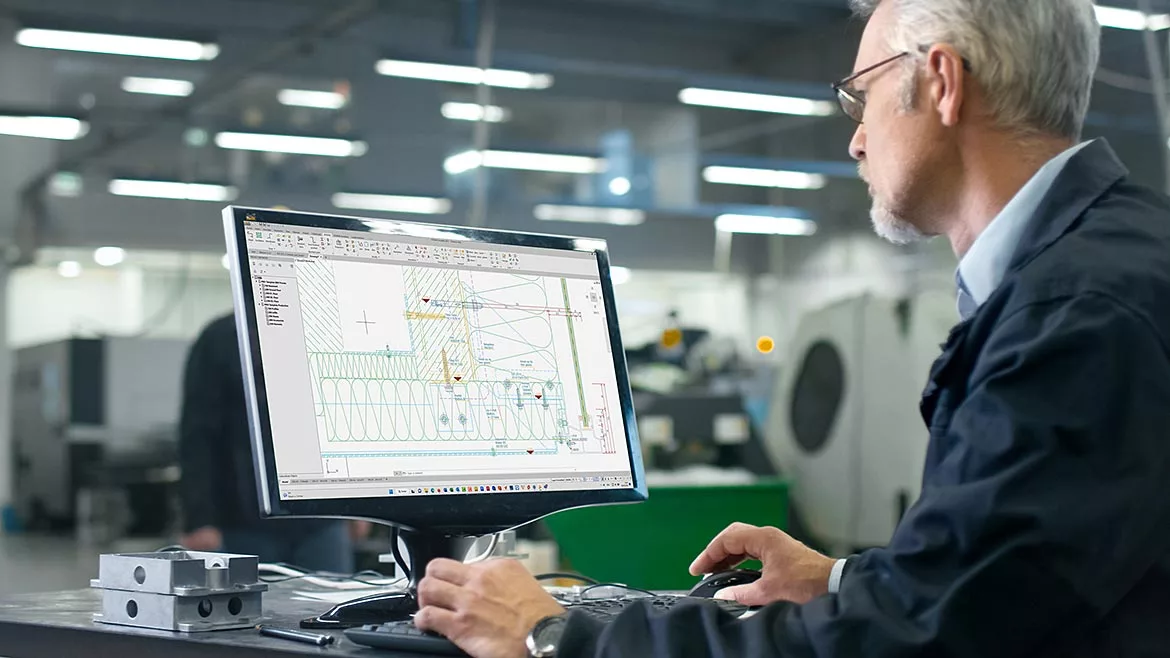
Images below courtesy of CAD-PLAN North America.
In today’s fast-paced construction industry, the use of technology has become a crucial factor for success. Computer-aided design software has revolutionized the way building professionals approach design, drafting and production processes.
Today, almost every architect, engineer and designer in North America uses Autodesk CAD software. Expanding the benefits of this familiar environment, several AutoCAD-compatible options are available to lift the user experience, with respect to the ever-increasing complexity of wall-window interfaces for commercial building envelopes. These complementary CAD solutions, along with software-specific training, work together to play a pivotal role in streamlining operations, improving quality control and ensuring that all documentation–from shop drawings to fabrication and installation–meets the highest standards.

Take Five
Here are five ways that CAD-based software tools advance productivity, accuracy and efficiency.
1. Streamlining Commercial Exterior Wall and Window Designs
A primary advantage of using CAD software in the wall and window industry is its ability to streamline design concepts and processes. In the realm of commercial building exteriors, designs can be highly intricate and involve a wide range of materials, shapes and configurations. Exploring these options in a digital environment, CAD-based solutions provide an economical, flexible and intuitive platform for creating detailed 2-D or 3-D models.
Users of CAD-based software can collaborate effectively by envisioning complex geometries in real-time. Realistic renderings and simulations assist designers, contractors, manufacturers and clients in visualizing the components, products and systems within the overall design. This facilitates a shared knowledge and understanding across the building team to discuss project expectations.
Most AutoCAD-compatible software also can simplify adjustments and iterations, optimizing designs before they move into the more labor- and cost-intensive phases of production. Potential conflicts and issues related to the alignment of structural components or the integration of windows, curtainwalls and other openings within the building envelope can be identified and resolved early in the design stage. This upfront planning leads to reduced errors and rework during the construction phase.

2. Accelerating the Drafting Process
Drafting used to be one of the most time-consuming elements in architectural design and manufacturing. With manual methods, the need to recreate drawings for different perspectives, sections and details added considerable time and effort. CAD-based software can automate much of this work, making drafting faster, more accurate and highly customizable.
Enhanced CAD solutions for 2-D drawing are equipped with practical routines and libraries for producing elevations, cross-sections and shop drawings. These built-in libraries’ standard components usually can be customized for easy reference to materials and design elements that can be quickly added into a drawing. Some solutions also support intelligent objects and parametric modeling, allowing users to automatically update drawings when modifications are made. This feature reduces repetitive tasks by permitting global changes across all associated views, such as floor plans, elevations and details.
Some CAD-based software also includes powerful annotation tools that automate labeling, dimensioning and scaling. This helps ensure that shop drawings comply with industry standards and clearly communicate the required information. Reducing the time needed for these tedious tasks lets project teams focus on quality design ideas and other, more profitable and more enjoyable work responsibilities.
When employees have the tools and training needed to complete their tasks quickly and accurately, they not only are more productive, but they also have greater job satisfaction. Happier employees are easier to retain and help recruit other educated and experienced design, engineering and drafting professionals in this competitive industry.
3. Improving Quality Control in Every Stage
Ensuring high-quality output across every stage of a project’s design, engineering and manufacturing process is essential to achieving the intended result. CAD-based software can improve quality control from the initial conceptual phase to the final production. When used effectively, these tools help prevent errors related to misalignments, improper materials selection and dimensional inaccuracies.
For example, some CAD-based software will prompt users to help maintain the strict tolerances and specifications required for structural integrity, thermal performance and other defined attributes of commercial buildings. Through clash detection features, CAD tools help with preemptive identification of potential conflicts in interferences between different product components, preventing costly mistakes that could arise during production, assembly and installation.
Additionally, several CAD-based solutions now integrate with Building Information Modeling systems, further enriching the accuracy of information across multiple disciplines and trades. The interoperability between CAD and BIM fosters better collaboration and communication, enabling all teams involved in the project to work with a single, up-to-date model.
4. Enhancing Productivity with Shop Drawings, Fabrication Documentation and CNC Integration
One of the most significant advantages of CAD-based software is its ability to translate design concepts seamlessly into production-ready documentation. For the wall and window industry, this means creating shop drawings, assembly instructions and fabrication documents with minimal hands-on involvement or intervention.
CAD tools can automate the creation of detailed shop drawings that are required for the fabrication of wall-window interfaces, curtainwalls and other façade elements. These drawings are essential for guiding fabricators through the manufacturing process. The accuracy and precision of these documents directly impact their quality and performance.
CAD-based software can be integrated with Computer Numerical Control machines for the direct export of design data into CNC-compatible formats. This integration further reduces human error and accelerates the fabrication process by automating the cutting, drilling and notching of materials. Some CAD-based tools are specialized to design and develop window frames, wall cladding panels and sheet metal components. These then can be uploaded into manufacturing programs with precise dimensions, eliminating the need for manual adjustments on the shop floor or in the field.
In addition, some CAD-compatible software’s 3-D tools can offer the possibility of automatically generating fabrication documentation, including all necessary takeoffs, such as parts lists and fully annotated bar diagrams. These resources also help manufacturers and installing contractors optimize material usage and reduce waste. This capability not only speeds up the ordering process, but also leads to cost savings and a more sustainable approach to construction.
5. Supporting BIM and Coordination across Disciplines
Professionals in the wall and window industry increasingly rely on BIM to manage complex and custom projects involving multiple stakeholders. The integration between CAD and BIM systems ensures that accurate data is shared among all project participants, from architects and engineers to contractors and manufacturers. Some CAD-based software options include powerful computational tools for structural analysis and building physics.
In a BIM workflow, CAD-generated models can be imported into the broader BIM environment, where they are coordinated with other building systems, such as structural anchorage, HVAC and electrical. This holistic approach reduces the risk of discrepancies between different trades and ensures that all components are accurately represented in the final model.
By providing a detailed and coordinated digital representation of the building’s exterior, CAD-driven workflows reduce the likelihood of costly on-site rework and promote smoother communication across all teams.
The use of CAD software in the commercial wall and window industry offers significant benefits in terms of design accuracy, drafting speed, quality control and increased productivity. From creating detailed, accurate shop drawings and automated fabrication documents, including take-offs, to integrating with CNC machines and BIM systems, CAD tools streamline the entire process—from concept to reality.
By investing in the latest CAD-based software solutions, companies in the wall and window industry can improve their overall workflow, reduce errors and ensure that their products meet the high standards demanded by today’s commercial building projects. This technological edge is essential for staying competitive in a market that values precision, speed, sustainability and one of the greatest assets—skilled, happy employees.
CAD-based software tools are for more than simply designing; they provide a comprehensive solution that elevates every aspect of the wall and window industry, from the initial sketch to the final installation.
* Flashing detail representative image description
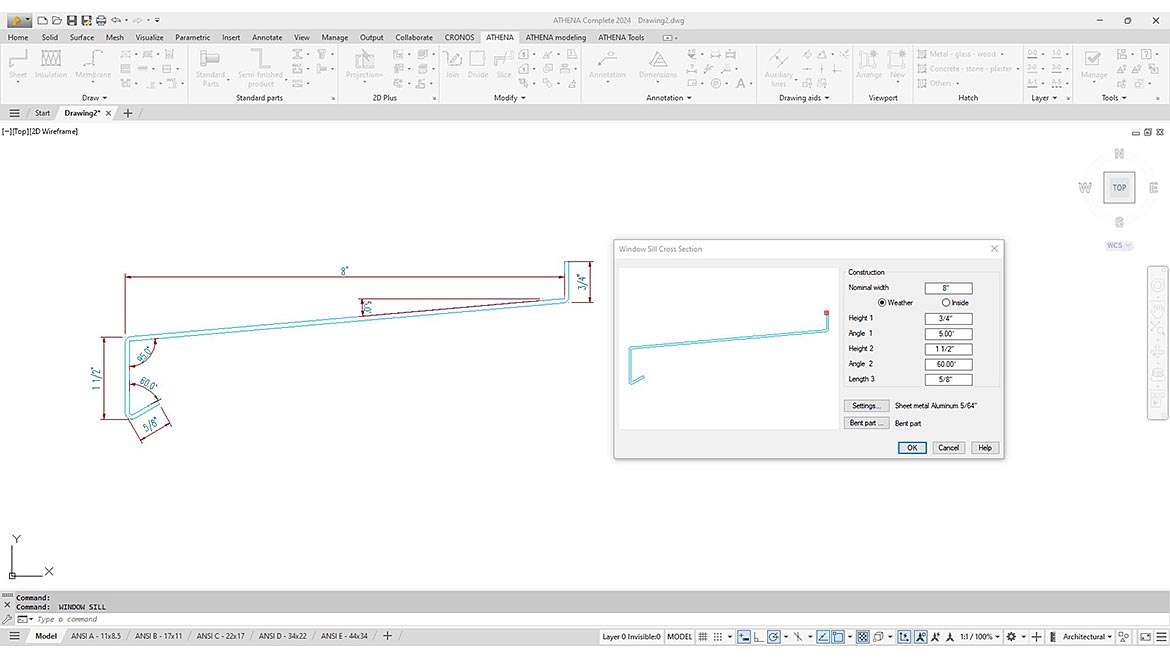
With industry-specific CAD-based tools, users can streamline and automate daily tasks to save time, improve accuracy and reduce waste. For example, when a user draws flashing for a window opening in a wall, it should be simple to select any size, any angle and any gauge. It should be easy and quick to replicate this flashing, window and wall combination wherever it is needed on the building envelope. Should a change be needed, say to the angle of the flashing, this should be automatically updated and reflected across all occurrences.
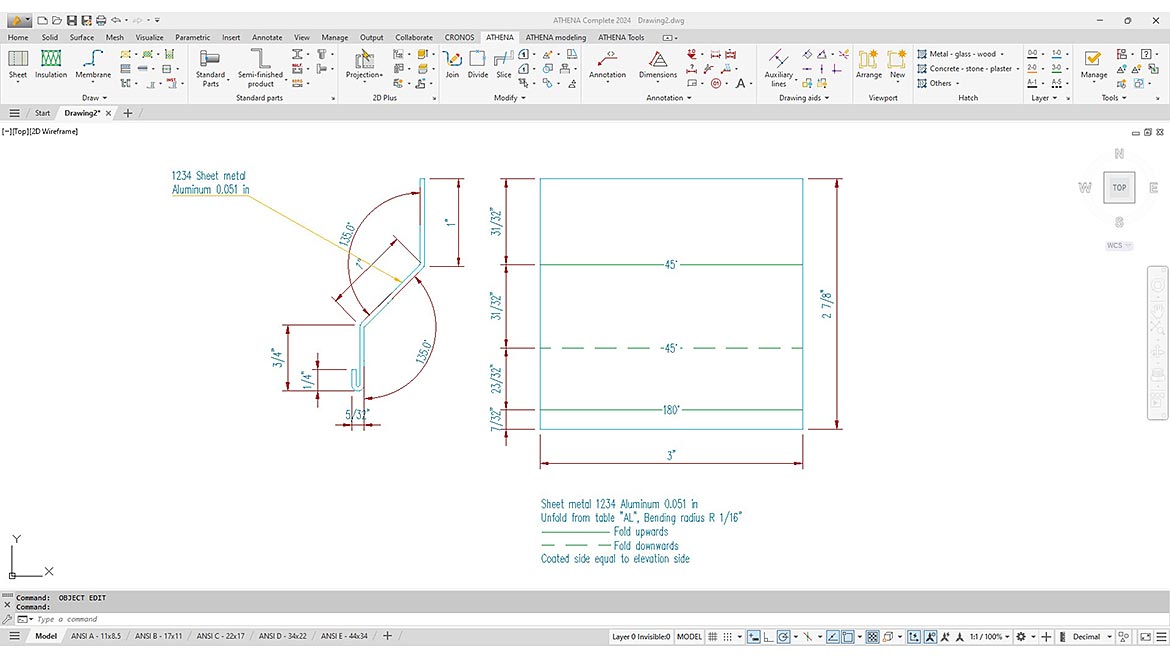
After the drawings have been approved and are ready for production, the user should be able to select the flashing detail and digitally unfold it as a flat sheet to optimize the material layout, cuts and fabrication. Once the shop-fabricated sheets are produced, the part-specific installation instructions can be generated to show the field team how to create the necessary angles and folds and properly attach the flashing.
Looking for a reprint of this article?
From high-res PDFs to custom plaques, order your copy today!